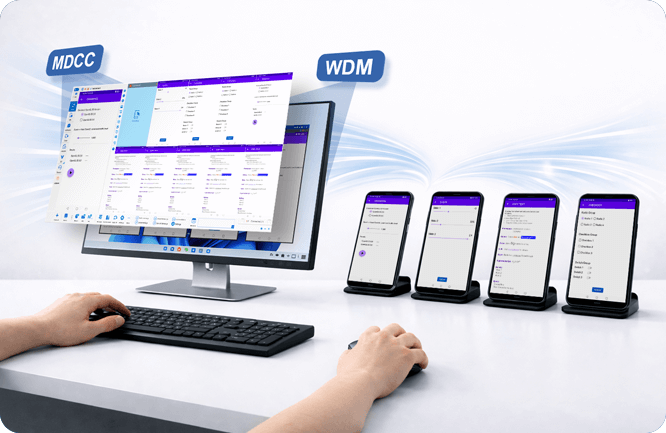
— Real Configuration Experience from a Long-Term User
Controlling multiple Android devices from one computer
Hello everyone, I am a long-term user of Total Control for Android device group control and automated testing. Many friends ask me: What hardware configuration is needed for the computer and phones when controlling dozens of phones from one PC? Today, I will share the key points based on the official hardware configuration requirements and my actual usage experience, hoping it helps.
Computer Performance Requirements: How to Choose from Small Scale to Large Scale?
If you are only controlling 1-4 phones, a regular home or office computer is completely sufficient. Once you need to connect 10 or more devices, even 20, 30, or 50, I personally refer to the official recommended configurations, and the stability is much better in practice.
- 4-10 devices: I would choose an i3 series CPU, integrated graphics or GTX 1060 4GB is enough, paired with a 1080P monitor.
- 20 devices: I would choose an i3 (such as the 10100 series), integrated graphics or 1060 6GB, plus two 10-port 120W hubs.
- 30-50 devices: I would choose an i5 (10400 series), graphics card 1060 6GB or above, and a 2K monitor to clearly see all devices on one screen.
When I control about 20 devices myself, I use an i5 + 16GB memory + USB 3.0. When running the Multi-Device Control Center (MDCC), the display remains smooth and CPU usage is very low.
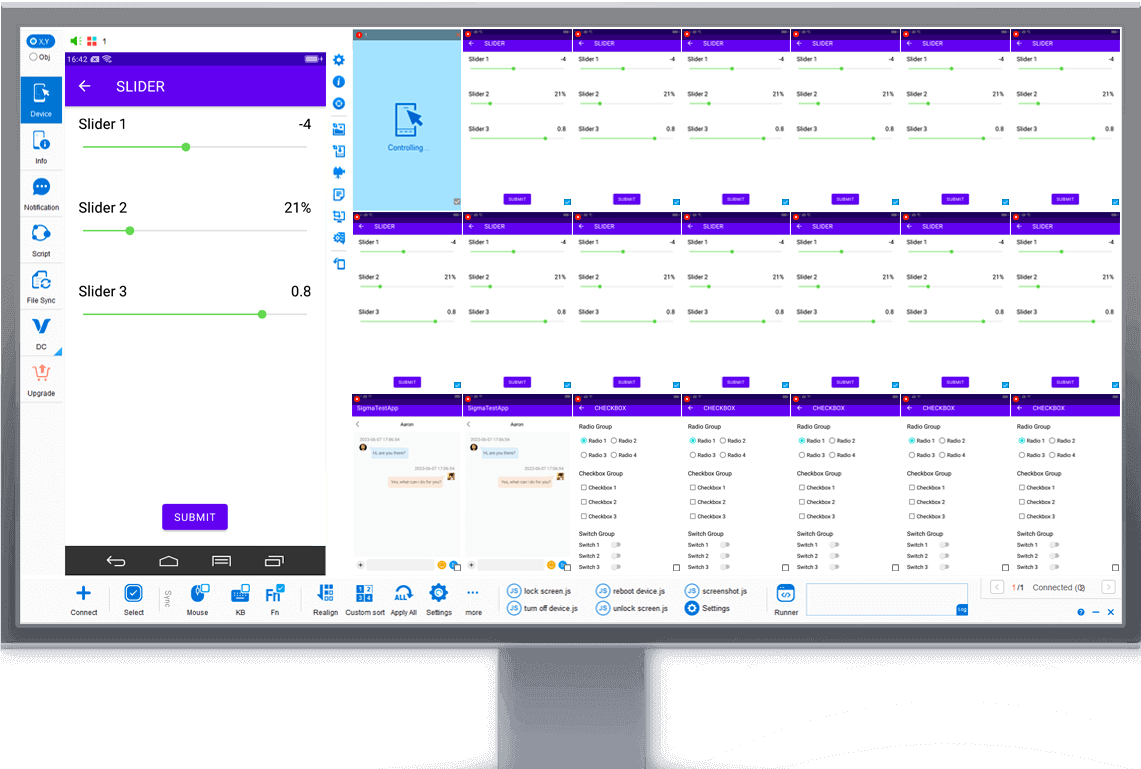
Multi-Control Center interface: Synchronize operations across multiple devices at once
Operating System and Phone Requirements
Currently, Total Control supports Windows 7 to Windows 11 (32/64-bit). For phones, it is compatible with mainstream brands running Android 6.x to Android 16, and completely does not require Root permissions — this is my favorite point; ordinary phones can be used directly.
- In my experience, phones with CPU above 1GHz and memory above 1GB will run more smoothly.
- After enabling USB debugging, you can connect via USB or TCP. The first setup is simple, and subsequent use is very convenient.
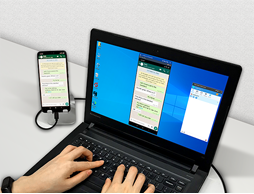
Multiple Android phones connected to the computer via USB for control
Not Enough USB Ports? How to Choose Hubs
Ordinary computers have limited USB ports. To connect more phones at the same time, you must use USB hubs. My experience is to preferably choose independently powered 10-port USB 3.0 hubs (total power at least 120W, ensuring each port exceeds 12W); otherwise, disconnections are easy.
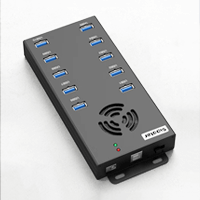
10-port USB 3.0 hub
For about 10 devices, one hub is enough; for 20 devices, use two; for 30-50 devices, multiple hubs are needed + PCIe-to-USB expansion cards if necessary. For motherboards, I prioritize ASUS Z-series for more stable power delivery and better device recognition.
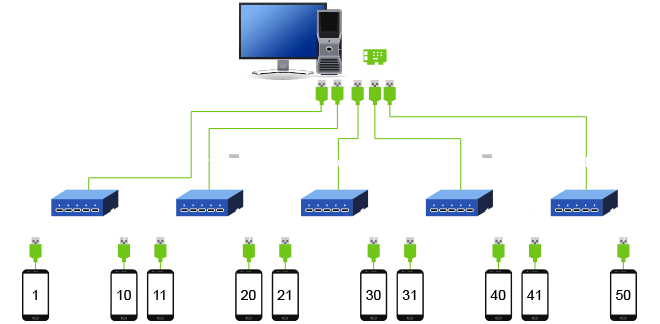
Official recommended connection diagram for devices via hubs (example for larger scale)
My Usage Experience and Suggestions
Total Control’s Multi-Device Control Center truly allows me to manage dozens of phones from one computer. The synchronized operations based on UI elements (FindNode) are very practical — phones with different resolutions can still have synchronized clicks. Scripts, APIs, file drag-and-drop, and audio transmission are all available, which has helped my testing work significantly.
Finally, I share two points from my own experience:
- My approach is to start with a small-scale trial, confirm it suits my scenario, and then gradually increase the number of devices.
- I believe hubs should preferably be independently powered with sufficient wattage — this has a big impact on stable operation.
- More detailed hardware configuration tables are publicly available on the official website; interested friends can check them themselves.
The above is only my personal usage experience. Different scenarios have different needs; it is for reference only. If you are also doing group control or automated testing, feel free to share your configuration and experience in the comments.
Source images from: https://www.sigma-rt.com/en/tc