How to use smartkey
Smartkey is an advanced function for accurately switching specified medicines and using the mouse wheel by searching pictures. Add the corresponding macro command to the macrokey, and you can go through different controls such as taking painkillers, throwing grenades and smoke bombs, while zooming in and out of the game map and looting a crate.
1. Click on the keymapping button and check the smartkey.
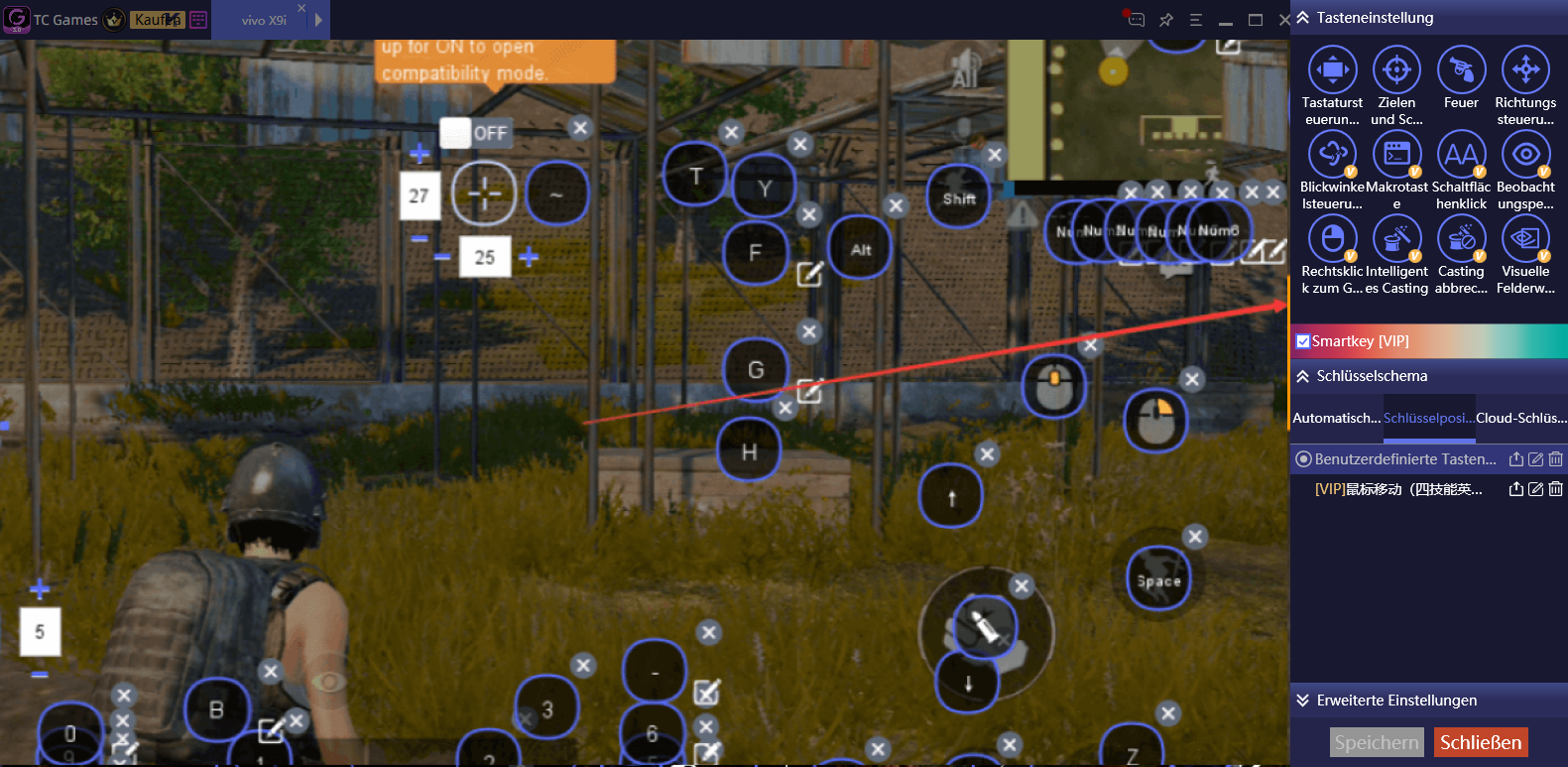
2. Add a macro key or add a macro command to the existing macro key.

3. Add the macro command of the corresponding function to the editing window.
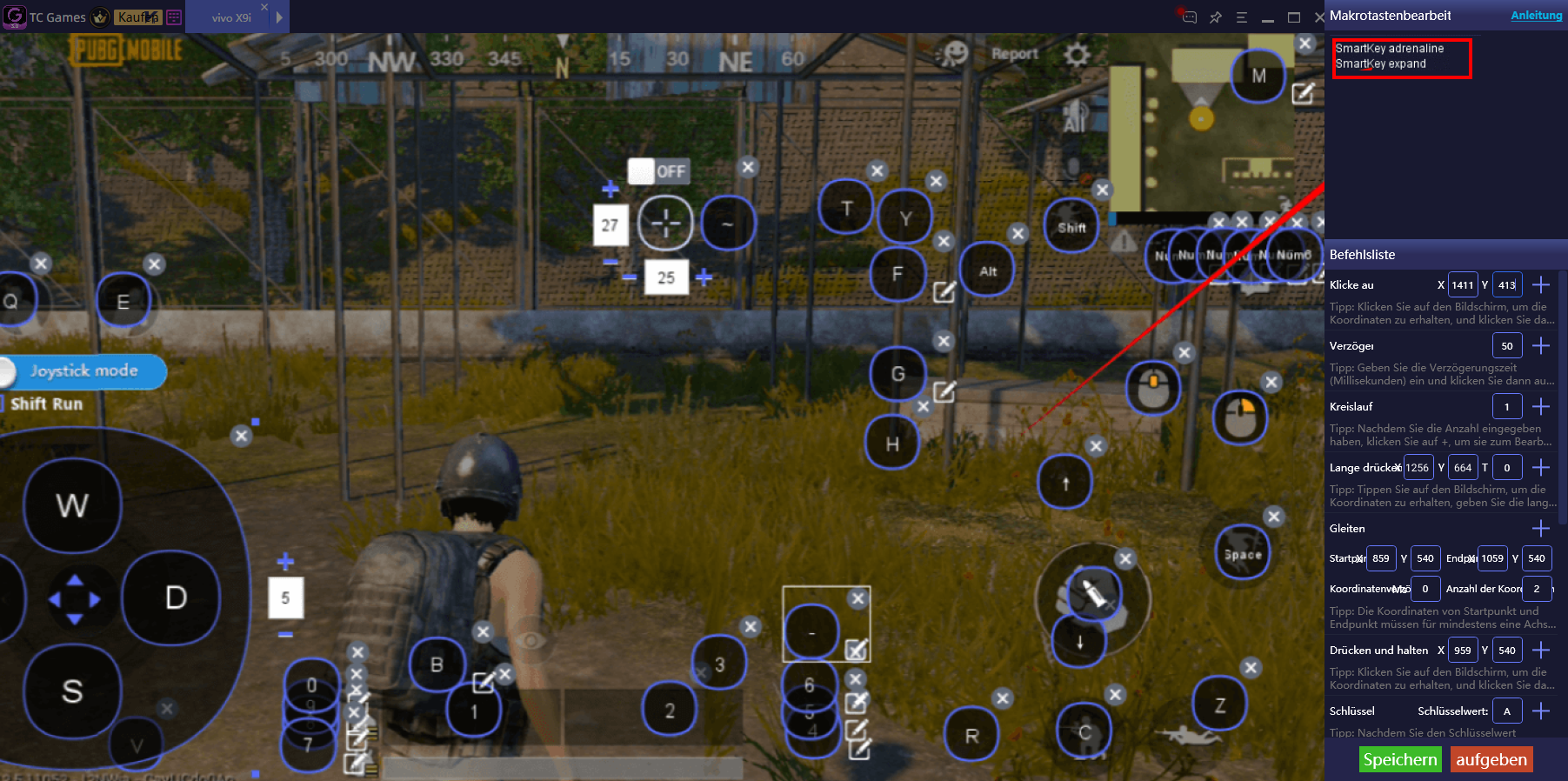
4.After saving, press the key to execute the corresponding function.

5. The current support commands are as follows:
Game for peace-Drug pack:
SmartKey drink
SmartKey expand
SmartKey painkiller
SmartKey expand
SmartKey adrenaline
SmartKey expand
SmartKey battery
SmartKey expand
SmartKey firstaidbox
SmartKey expand
SmartKey bandage
SmartKey expand
SmartKey firstaidlit
SmartKey expand
Call of duty-Drug pack:
FindImage drinks false click 0 350 710 350 0 0
delay 200
FindImage expand true click 0 350 710 350 0 0
delay 350
FindImage drinkm true click 0 350 710 350 0 0
delay 350
FindImage drinks true click 0 350 710 350 0 0
FindImage painkillers false click 0 350 710 350 0 0
delay 200
FindImage expand true click 0 350 710 350 0 0
delay 350
FindImage painkillerm true click 0 350 710 350 0 0
delay 350
FindImage painkillers true click 0 350 710 350 0 0
FindImage Medicinepackets false click 0 350 710 350 0 0
delay 200
FindImage expand true click 0 350 710 350 0 0
delay 300
FindImage Medicinepacketm true click 0 350 710 350 0 0
delay 300
FindImage Medicinepackets true click 0 350 710 350 0 0
Game for peace-Grenade bag:
SmartKey grenade
SmartKey expand
SmartKey smokebomb
SmartKey expand
SmartKey burningbottle
SmartKey expand
SmartKey flashbomb
SmartKey expand
SmartKey saucepan
SmartKey expand
Game for peace-Grenade bag:
FindImage grenades false click 760 350 780 350 0 0 0.9
delay 200
FindImage expand true click 760 350 780 350 0 0
delay 300
FindImage grenadem true click 760 350 780 350 0 0
delay 1000
FindImage grenades true click 760 350 780 350 0 0
FindImage Yellowbullets false click 760 350 710 350 0 0 0.92
delay 200
FindImage expand true click 760 350 710 350 0 0
delay 300
FindImage Yellowbulletm true click 760 350 710 350 0 0
delay 1000
FindImage Yellowbulletm true click 760 350 710 350 0 0
FindImage flashbombs false click 760 350 710 350 0 0 0.9
delay 200
FindImage expand true click 760 350 710 350 0 0
delay 300
FindImage flashbombm true click 760 350 710 350 0 0
delay 1000
FindImage flashbombs true click 760 350 710 350 0 0
FindImage smokebombs false click 760 350 780 350 0 0 0.92
delay 200
FindImage expand true click 760 350 780 350 0 0
delay 300
FindImage smokebombm true click 760 350 780 350 0 0
delay 1000
FindImage smokebombs true click 760 350 780 350 0 0
6.One-key to switch scope
You can use simply press F1,F2,F3 to switch the scope. and you can modify it to another scope or key.
Default Keymap:F1: reddot, F2:3x scope, F3: 6x scope
findimage find true
delay 250
findimage mirror6x false//(change “mirror6x" to:holographic,reddot,mirror2x,mirror3x,mirror4x,mirror6x,mirror8x )
delay 50
FindImage exit true
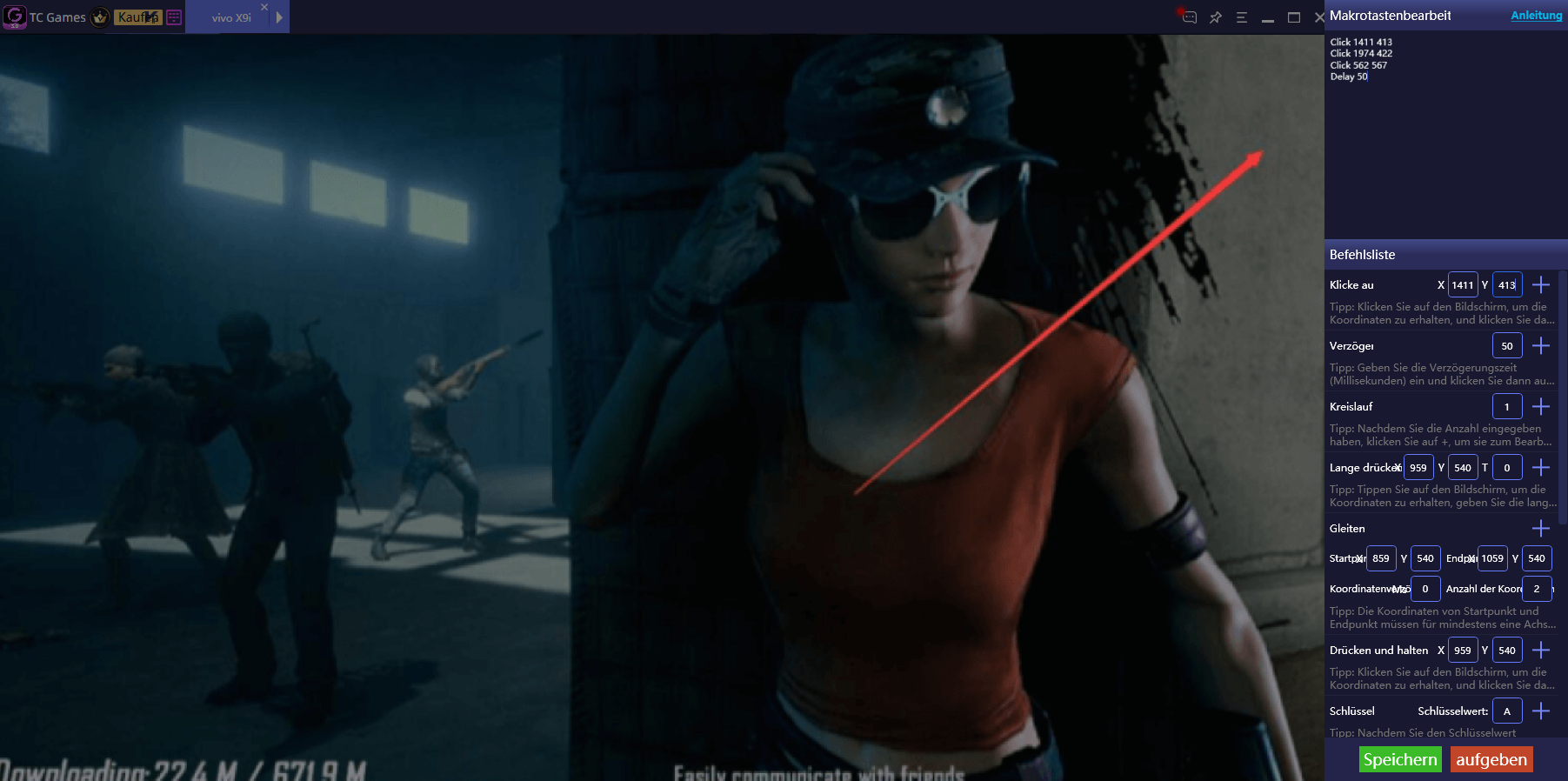
7. To activate the above functions and smart mouse wheel, please click the smartkey box to place a checkmark on it.
