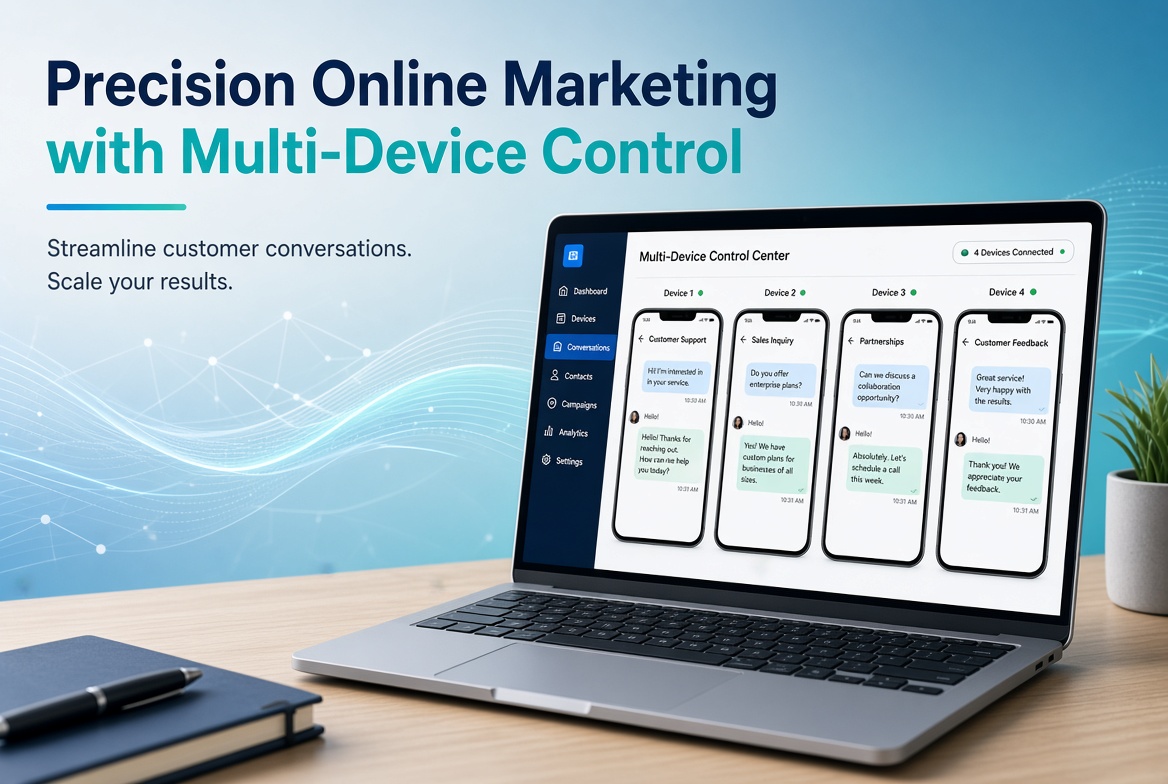
What Is It Like to Use Multi-Device Control Software for Precision Online Marketing?
Interest Statement: This article is based on personal usage experience and has no commercial partnership with the vendor. Please fill in according to actual circumstances. If there is any collaboration or trial sponsorship, it should be disclosed truthfully.
1. From “Casting a Wide Net” to “Precision Marketing”
I have been doing online marketing for some time. In the early stage, I relied on channels and content to quickly accumulate customer resources. Once that step was largely completed, the focus shifted: customers were no longer scarce—what was lacking was quality communication and long-term maintenance.
Precision marketing can no longer be as simple and crude as the early stage. It requires one-on-one communication: knowing who the prospective customers are, how far the conversation has progressed, and when to follow up next. Once the number of accounts and phones increased, problems appeared—constantly switching devices, messages easily missed, and inconsistent messaging. That was when I started trying the multi-device control software Total Control.
Let me state this upfront: according to the official website, its positioning is as an Android real-device testing and automation tool. Using it for marketing customer communication is my own extension of its use, not the vendor’s primary scenario. Below I will only discuss what I actually experienced, along with features that can be verified on the official website.
2. What It Is
Total Control is software that mirrors and controls Android phones on a Windows computer, allowing operation with keyboard and mouse without an emulator. Basic information listed on the official website:
• Supports Windows 7 through Windows 11;
• Compatible with mainstream brands running Android 6.x to Android 16;
• Connects via USB with USB debugging enabled; no Root required;
• Officially claims support for managing 1–100 devices, with corresponding computer configuration recommendations for different device counts.
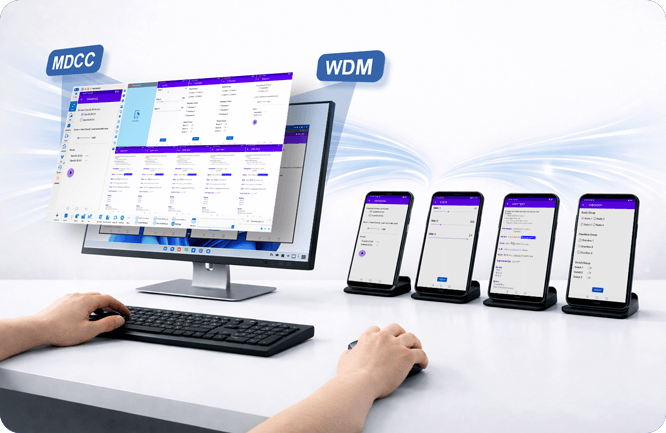
Total Control official homepage: Control multiple Android devices from one PC (source: official website).
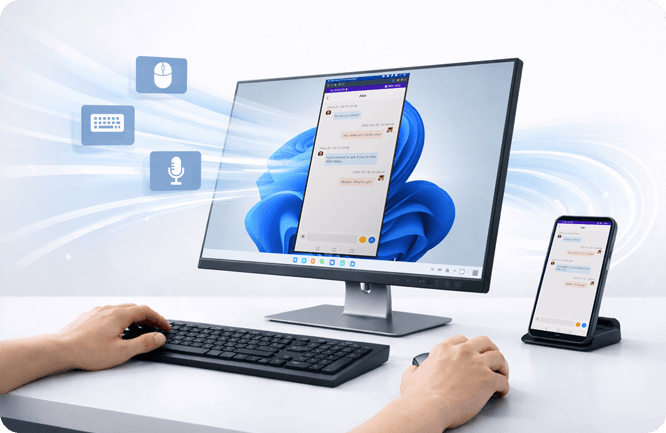
Native Windows KVMA (Keyboard/Video/Mouse/Audio) — No Emulator, No Lag (source: official website).
3. Key Points I Mainly Used in Marketing Work
3.1. Centralized Customer Communication Without Switching Phones
On one computer, I can see the screens of multiple phones simultaneously. Replying to customers and checking chat histories are all done in the same interface. For teams with multiple business lines and multiple account contacts, communication efficiency improves noticeably, and messages are less likely to be missed.
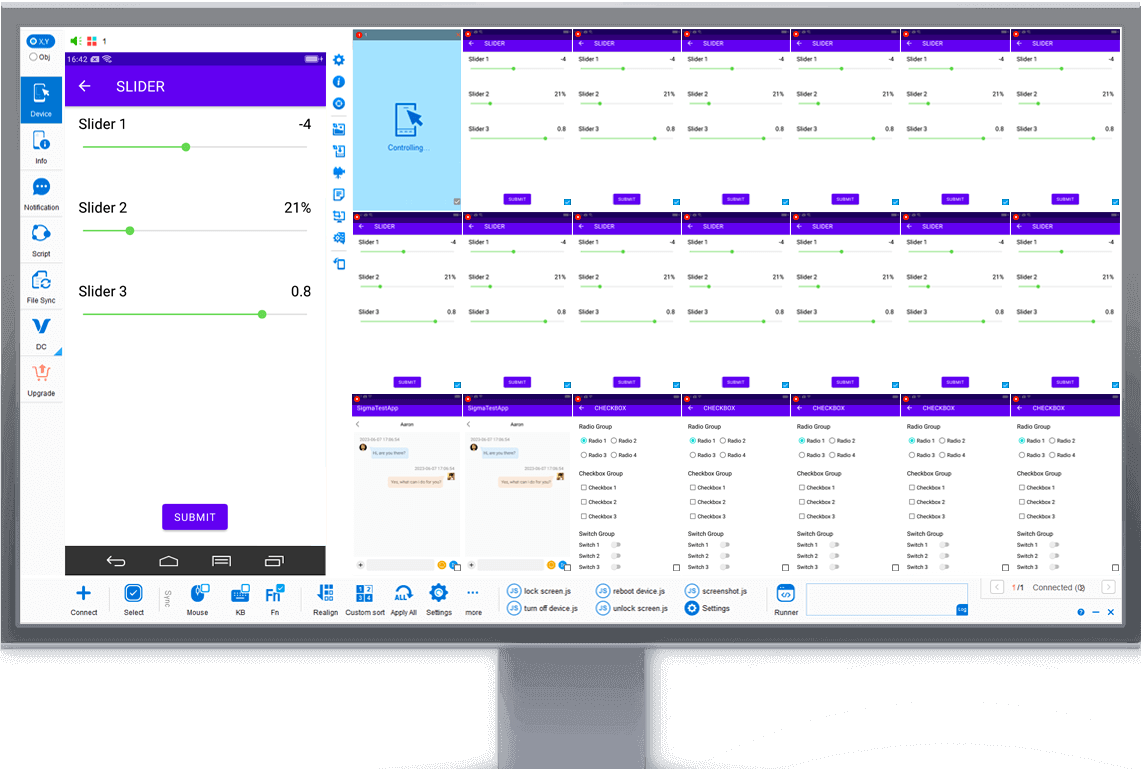
Multi-Control Center (MDCC) interface: manage multiple devices on the same screen (source: official website).
3.2. Computer Keyboard Input Makes Copy-Pasting Scripts More Convenient
The software supports copying and pasting text between computer and phone, as well as transferring files. You can also type directly with the computer keyboard. When replying to common customer questions, I can quickly paste organized standard scripts and then manually adjust them based on the customer’s situation—ensuring consistent messaging without sounding completely identical.
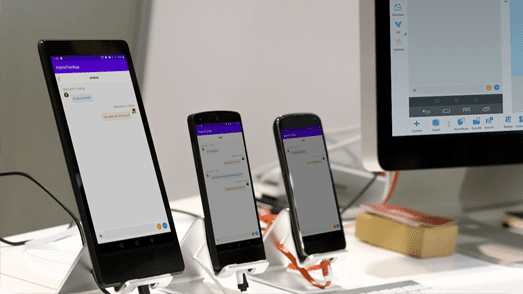
Control Android devices from PC with keyboard and mouse (source: official website).
3.3. Smooth Display and Low Operation Latency
The official site claims a maximum frame rate of 60 fps and 1080P resolution. In my actual use, when the number of devices was not large, the operation felt responsive. Performance with more devices depends on computer configuration and network environment. I recommend checking the official hardware configuration suggestions before planning the scale of devices, rather than assuming.
3.4. Multi-Device Synchronization Suitable for Repetitive Operations
The Multi-Control Center mode can synchronize operations from the main device to selected devices. There is also an “Object Mode”: synchronization is based on interface elements rather than screen coordinates, so phones of different resolutions and brands can still adapt. For example, uniformly updating profile information across multiple accounts or setting the same function items—these kinds of repetitive actions can save considerable time.
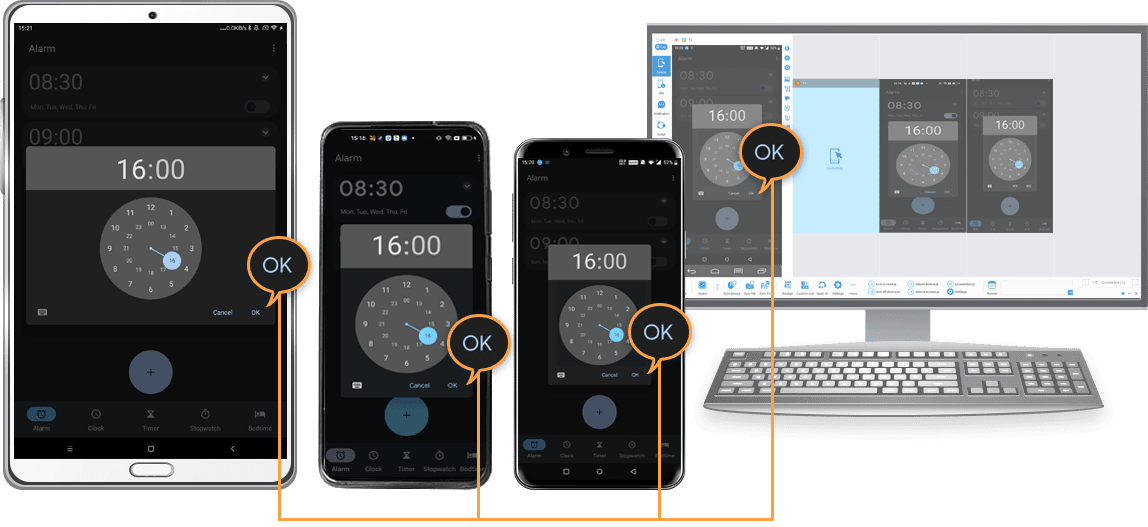
Object Mode: synchronize based on UI elements (resolution-independent) across different devices (source: official website).
3.5. Scripting Capability Depends on Your Technical Foundation
The software supports AAIS, JavaScript API, and REST API. It comes with 5 modifiable quick operations, and the official site provides examples and a UI detection tool. It should be noted that it is not an “out-of-the-box” marketing script solution. Implementing specific functions requires self-learning and writing code, so it is more suitable for people with a certain technical foundation.
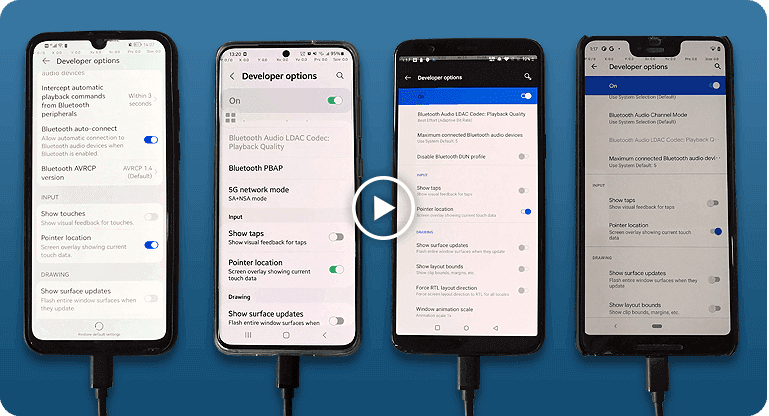
Scripting support (FindNode, REST API & JavaScript API) — official illustration (source: official website).
3.6. Pricing and Trial
The official website offers a Lite version supporting 1–2 devices, which can be used free of charge for non-commercial purposes. Controlling multiple devices simultaneously requires the Professional version, which is an annual subscription plan. The official site lists prices starting from as low as $9.90 (please refer to the real-time price on the official website). My suggestion is to first use the free version to become familiar with the process, then decide whether to upgrade based on the actual number of devices.
3.7. Technical Support
The official website provides two support channels: email and a Discord community. There are also FAQs, beginner guides, and help documentation. When first getting started, reading the documentation can solve most problems.
4. Practical Approaches in the Online Marketing Scenario
Tools are only auxiliary; what truly determines results is the operational method. Below are a few points I have explored myself, for reference:
1. Segment first, then communicate. Classify customers by level of interest (e.g., new inquiries, interested, closed deals, dormant customers). Use different follow-up rhythms and content for different categories, rather than sending the same message to everyone.
2. Turn scripts into a material library. Organize replies to common questions into standard materials to ensure consistent messaging; but adjust them according to the other party’s specific situation before each send to avoid a mass-broadcast feeling.
3. Establish follow-up records. Beyond the tool itself, use spreadsheets or a CRM to record each customer’s communication progress and next follow-up time. This is the core of precision marketing.
4. Control frequency and respect customers. The value of one-on-one communication lies in “being needed,” not “being disturbed.” Communication frequency and timing should be restrained, leaving room for the customer to choose.
5. Use it for “efficiency improvement,” not for “harassment.” The value of multi-device synchronization is to free people from repetitive labor and put energy into the links that truly require human judgment and communication.
5. Compliance and Risk Reminders
I consider this part more important than the features themselves:
• Customer consent is the premise. The customers contacted should be those you have accumulated legally and who are willing to communicate. Do not purchase lists, do not bulk-add strangers, and do not mass-message or harass.
• Pay attention to platform rules. Platforms such as WeChat have clear usage norms regarding automation and bulk operations. Please read the relevant rules before using scripting or synchronization functions to avoid account restrictions or bans.
• Protect customer data. Chat records and customer information are private data. Keep them properly secured; do not leak or misuse them.
• Purchase the corresponding version for commercial use. The free version is limited to non-commercial purposes only.
6. Summary
If your work requires managing multiple Android devices simultaneously and you hope to improve the efficiency of repetitive operational tasks, Total Control is worth trying first. However, if you only have one or two accounts, ordinary customer service methods may be sufficient. Whatever tool you choose, the foundation of precision marketing remains: accumulating customers in compliance with rules, communicating earnestly, and following up with a proper rhythm.
The above is only personal usage experience. Specific results depend on the device environment, team capabilities, and operational methods. Please judge based on your own actual situation.
Image source: All product screenshots in this article are from the official Total Control website (https://www.sigma-rt.com/en/tc/).
Pre-Publish Self-Check List (This section is not published with the main text)
• Interest statement filled in according to actual circumstances; any partnership must be truthfully disclosed.
• No website URLs, QR codes, WeChat IDs, email addresses, or other contact information in the main text to avoid being judged as lead generation.
• Avoid absolute or exaggerated terms such as “best,” “No. 1,” “100% no lag,” or “super cheap.”
• No descriptions of bulk friend adding, mass messaging, like/view boosting, or bypassing platform risk controls.
• Prices, versions, and features should be re-checked against the official website on the day of publication.
• The “my usage experience” parts should be verified against actual personal experience; do not write about things not experienced.
• Screenshots come from the vendor’s official site. Before publishing, it is recommended to replace them with your own screenshots or obtain official permission and note the source.